
January can feel like the longest month of the year. It’s dark early, everyone’s a bit tired, and screens quietly become the easiest “just for a minute” fix (which somehow turns into 45 minutes).
The good news: you don’t need to go full screen ban to make a real difference. A few small tweaks, done consistently, can cut the mindless scrolling and make the screen time that remains genuinely useful.
Here are five realistic ways to reduce children’s screen time.
1) Decide what screens are for in your house (and write it down)
The biggest change isn’t a stricter timer. It’s having a simple, shared rule about what screens are meant to do.
A lot of child health guidance has moved away from one magic “safe number” and towards fit-for-your-family boundaries: does screen use affect sleep, mood, family time, or getting on with things?
Try this quick “January reset” media plan:
- Green time (encouraged): homework help, reading practice, creative making (drawing, coding, music)
- Amber time (limited): shows/games that are fine, but easy to overdo
- Red time (rare): anything that causes arguments, zombie mode, or “just one more” meltdowns
Keep it short. Put it on the fridge. And include your phone too (kids notice everything).
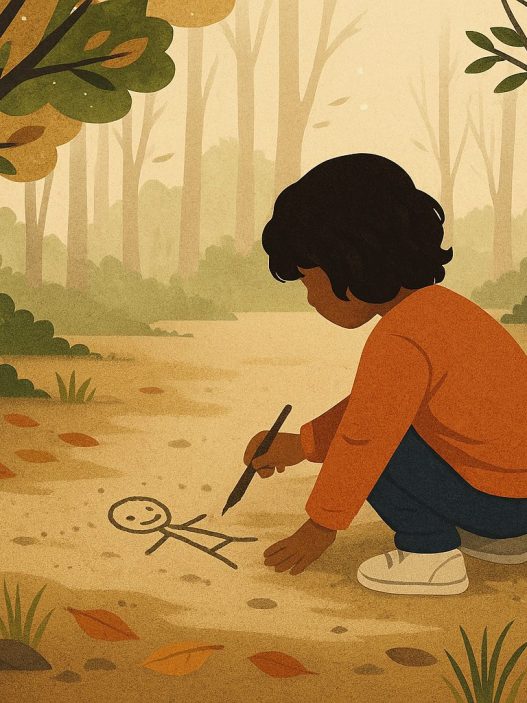
2) Make the “default” activity something other than a screen
In winter, the problem is often the empty gaps: before school, after tea, that awkward 4–6pm stretch.
So instead of focusing on “no screens”, focus on what happens instead. Create a small January Activity Menu your child can pick from (think: choices that feel like treats, not chores).
Easy, low-effort ideas:
- 15-minute “cosy tray”: Lego, Play-Doh, colouring, sticker books, jigsaws
- Audio story + hands: audiobook/podcast while drawing or doing a puzzle
- Mini movement breaks indoors: dance video you choose, balloon volleyball, hallway obstacle course
- Helper jobs that feel grown-up: sorting socks, making packed lunch items, wiping the table
The trick is visibility: keep the stuff they can do out and reachable, and put the tablets/controllers away. Friction works.
3) Keep screen time, but upgrade it to “high value” learning
If screens are happening anyway (and in January they often are), make them active, not passive.
A few evidence-based principles:
- Short sessions beat long ones. Think 10–20 minutes for younger children.
- Co-use beats solo. Even sitting nearby and asking one question helps.
- Creation beats consumption. Making > watching.
For under-5s, the World Health Organisation advises very limited sedentary screen time (and none for under-2s), and explicitly recommends replacing it with things like reading and storytelling.
And for all ages, bedtime is the easiest win: the NHS advises avoiding screens in the 30–60 minutes before sleep because it can interfere with sleep. nhs.uk
4) Use “screen-free anchors” (meals, mornings, bedtime) instead of constant policing
Trying to monitor screens all day is exhausting. Anchors do the heavy lifting for you.
Pick two or three non-negotiables:
- No screens at the table (even if it’s quick tea)
- No screens before school (swap for music, breakfast chat, or a short story)
- Screens off 45–60 minutes before bed (choose a calm routine instead)
These work because they’re predictable. Children stop negotiating every moment when the rule is tied to the day, not your mood.
If you want one extra boundary that’s surprisingly powerful: charge devices outside bedrooms.
5) Choose educational games that actually teach something (and avoid the “click-for-prizes” traps)
Not all “educational” apps are created equal. In late 2025, researchers highlighted that many children’s reading apps don’t meet expert standards, and that app store ratings aren’t a reliable guide.
So, what is worth a look? Here are options that lean more “learning tool” than “digital sweets”.
Early years (roughly 3–7)
- Duolingo ABC (early literacy): has published efficacy research showing improvements in early literacy skills after use.
- Khan Academy Kids (early literacy + general learning): has been evaluated in research settings, including a randomised controlled trial in preschoolers.
- Teach Your Monster to Read (phonics/reading): popular in the UK and useful as practice alongside reading with you (best as short, supervised bursts). teachyourmonster.org
Make it stick: do a 10-minute “game lesson”, then 5 minutes offline using the same skill (e.g., spot letter sounds on a cereal box, write 3 silly rhyming words, read one page together).
Primary age (roughly 7–11)
- BBC Bitesize for quick, curriculum-linked videos and quizzes (handy when you want something structured and UK-relevant).
- ScratchJr / Scratch (coding and problem-solving): research suggests ScratchJr can support computational thinking skills in young children.
- Maths apps with purpose: a systematic review found some maths apps can support learning, especially when used well (short, focused, adult-supported).
Educational “no-screen” games that feel like fun
If you want learning without devices (especially great for that January indoor stretch):
- Bananagrams / Scrabble-type games (spelling, vocabulary)
- Dobble / Snap-style games (attention, processing speed)
- Story cubes (storytelling, speaking confidence)
- Rush Hour / logic puzzle games (planning, reasoning)
- Jigsaws (focus, patience, visual problem solving)